
Sushi Hana
- Most guests read the menu for 2 to 4 minutes before ordering.
- Guests who asked about the menu had longer, warmer conversations with staff.
- Servers checked on each table at least twice during the meal.
Where tradition meets innovation.
A leather bound restaurant menu with a screen inside. Guests read it their way, call their server with a reason, and split and pay at the table, without taking out a phone.
The problem
Diners leave unhappy when ordering, service and knowing their food fall short. Paper menus cannot adapt, and phone menus pull people away from the table.
The insight
Guests did not want a smarter phone menu. They wanted a better menu, and their server at the right moment.
What MEEA does
Puts the screen inside a familiar leather menu: read it your way, call your server with a reason, then split, tip and tap to pay at the table.
The problem
US restaurant sales passed $1 trillion for the first time in 2023, and restaurants keep adding technology. Most of it asks guests to pull out their phones.
Guests love holding them, but they cannot translate, change their print size or say much about what is in a dish. When a question comes up, guests wait for a server.
QR code menus are growing about 20% a year. They mean a phone out at the table and a small screen to read, and the people we talked to did not like them.
“It is awkward to have your phone out whenever you're with people.”
Research
We watched three Savannah restaurants at work, sent a questionnaire and ran six in depth interviews. That became three findings and the three people we designed for.
3
restaurants observed
8
questionnaire responses
6
in depth interviews
3
wireframe usability tests
We sat in three restaurants and watched how guests read the menu, got a server's attention and paid.
Eight people told us about a recent meal out, mostly at local restaurants.
8.6
average rating out of 10 for their last meal out
Most
preferred not to use their phone in a restaurant
Most ordered dishes they already knew. Others read the descriptions, and some asked their server what to get.
“There was no physical menu, I would have liked one because I couldn't read well from the screen.”
“It was the only option, I wouldn't prefer an online menu.”
Six in depth interviews about menus, service, technology and paying.
“I prefer a physical menu, but I don't mind digital menus if I have to.”
“I've seen many (QR menus) in Miami, even in nicer restaurants. These menus annoy me, but I understand that it's better for the planet.”
Putting the observations, questionnaire and interviews together, three findings stood out.
Paper menus cannot translate or grow the print, and phone menus are small and pull people away. Guests also order for each other, around allergies and kids.
Everyone we interviewed would rather order from a person than a screen. The problem was never the server, it was waiting for one.
Handing a card to a stranger felt risky, splitting slowed big groups down, and the tip was guesswork for some guests.
Three guests we designed for. Each one walked through the menu in a scenario, from sitting down to paying.
Likes an upscale night out with no room for mishaps. He has a reputation to keep with the guests he brings.
Goals
Frustrations
Goes out with friends every week and turns each dinner into an event.
Goals
Frustrations
Recently moved to the US from Russia. Loves eating out with her family, grandkids and friends.
Goals
Frustrations
Insight
Guests did not want a smarter phone menu. They wanted a better menu, and their server at the right moment.
Each finding became a how might we question, and each question became a principle every screen had to pass.
It lives on the table, not on a phone. Each guest sets the language, text size, light and diet they need.
How might we provide a menu experience that accommodates different preferences, as well as accessibility features?
MEEA helps guests decide and ask. Their server still takes the order.
How might we enhance the menu experience while still preserving the human interaction that makes dining feel warm and personal?
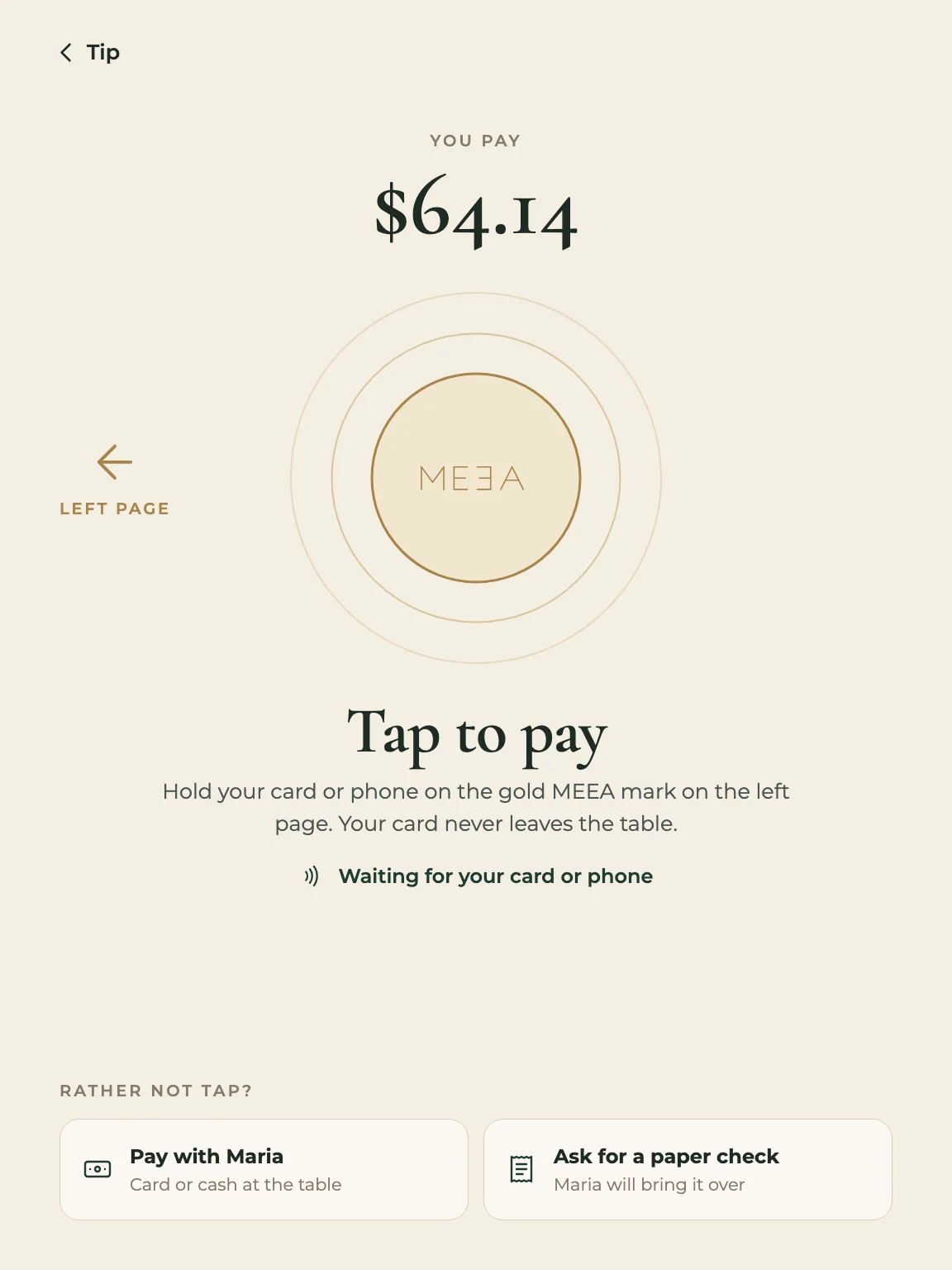
Split, tip and pay at the table, with no card leaving anyone's hand and no math.
How might we create a more efficient and stress free way for restaurant goers and their friends to split the bill?
The product
MEEA keeps the look and feel of a leather bound menu, with a thin, high resolution screen on the right page. It stays with the table, so nobody needs their own phone, and it goes back to the host stand at the end of the night.
Each restaurant's logo is pressed into the leather, so MEEA looks like their menu, not a gadget.
The gold MEEA mark sits over a contactless reader. Guests tap a card or phone there, so a card never leaves the table.
The screen has the 3:4 shape of a menu page, and everything on it is designed to read at arm's length.
Type
Cormorant Garamond
Dish names, prices and headings. It reads like a printed menu.
Montserrat
Everything you tap: buttons, tabs, labels and descriptions.
Color
Process
Research
Three restaurant observations, a questionnaire and six in depth interviews.
Strategy
Points of view, three how might we questions, a MoSCoW list and a Lean UX canvas.
Personas
Mark, Britney and Baba Vera, each with a scenario walked through the menu.
Structure
Card sorting with three people, then an information architecture refined twice.
Wireframes
15 low fidelity screens, tested with three people.
Final UI
Every screen redrawn in one system, with each change answering the research.
Fifteen low fidelity screens built from the persona scenarios: home, drinks, the food menu, dish details, settings, kids, games and payment.
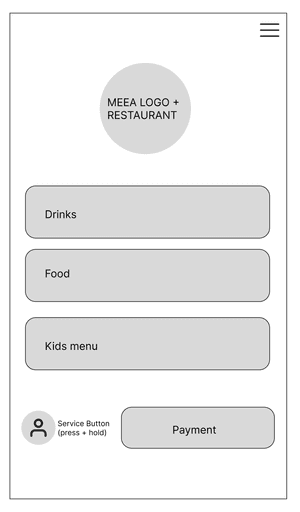
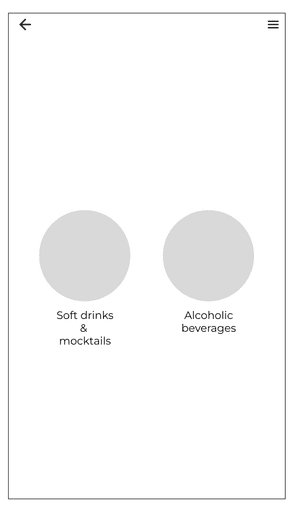
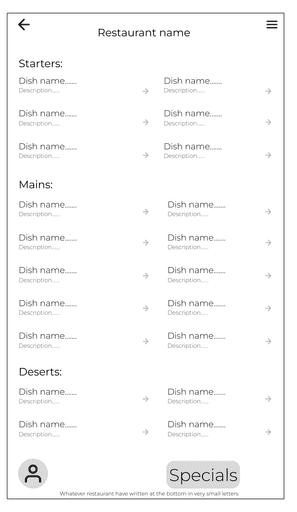
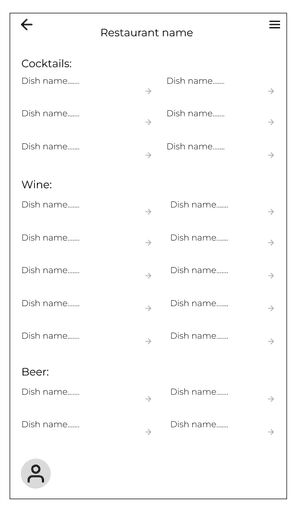
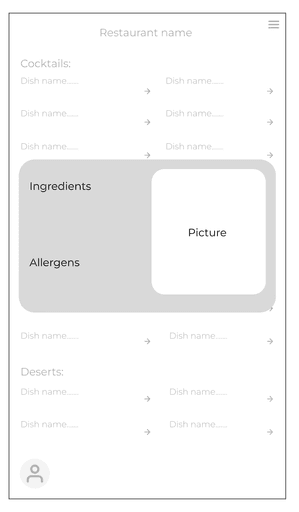
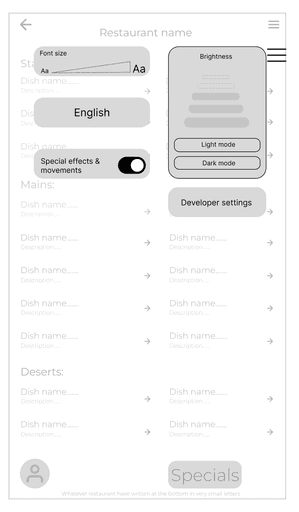
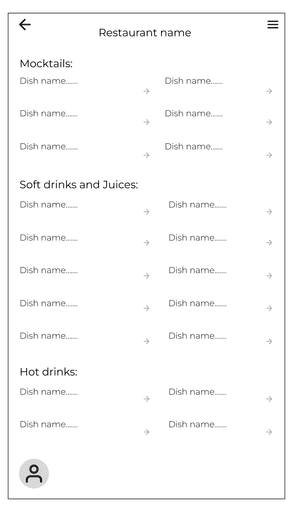
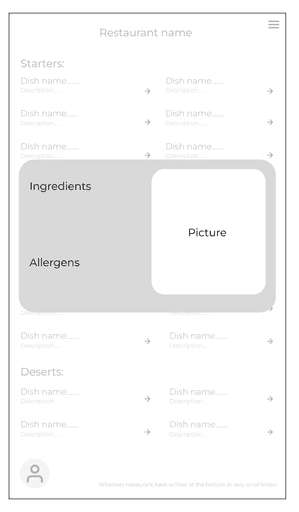
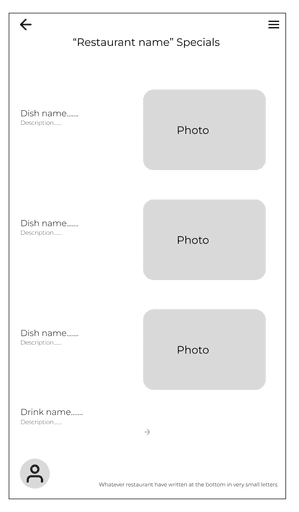
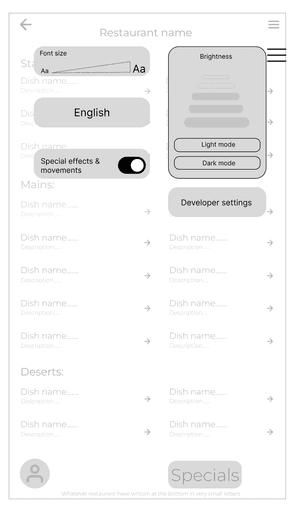
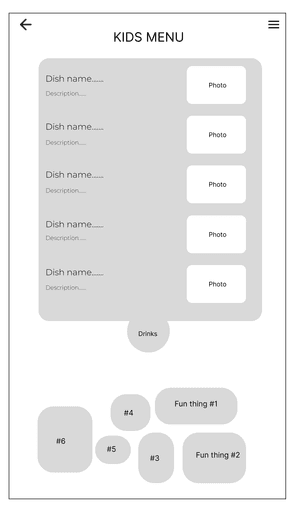
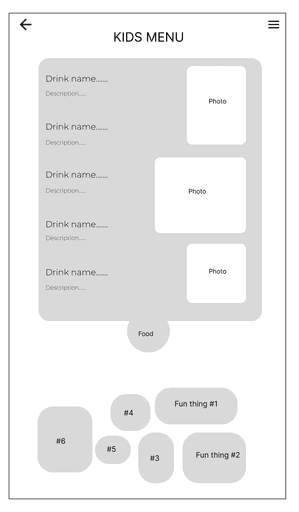
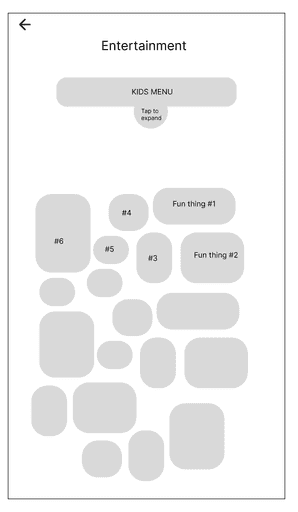
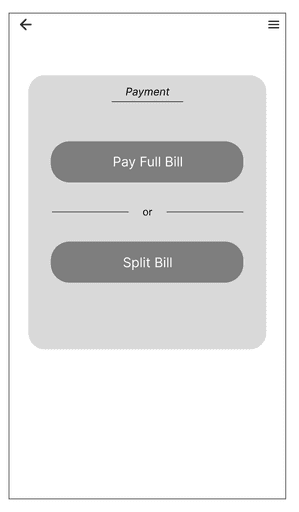
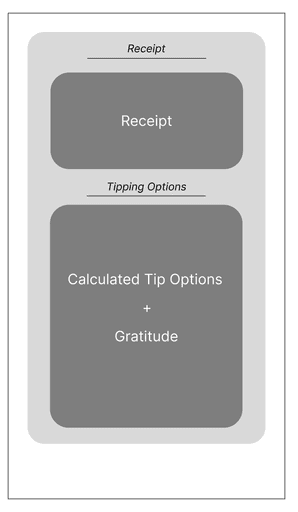
Three people with very different comfort with technology clicked through the wireframes. Their notes fed straight into the final UI.
Eats out often, used to paper and digital menus
Liked
Asked for
College student who relies on technology every day
Liked
Asked for
Rarely uses technology beyond her phone
Liked
Asked for
Design decisions
I designed the final UI from the team's research and wireframes, in one system for navigation, type and components. Every change below starts from something we heard.
Decision 1 of 10: Language and text size come first
Principle 1 · One menu, read your way
Decision 1 of 10
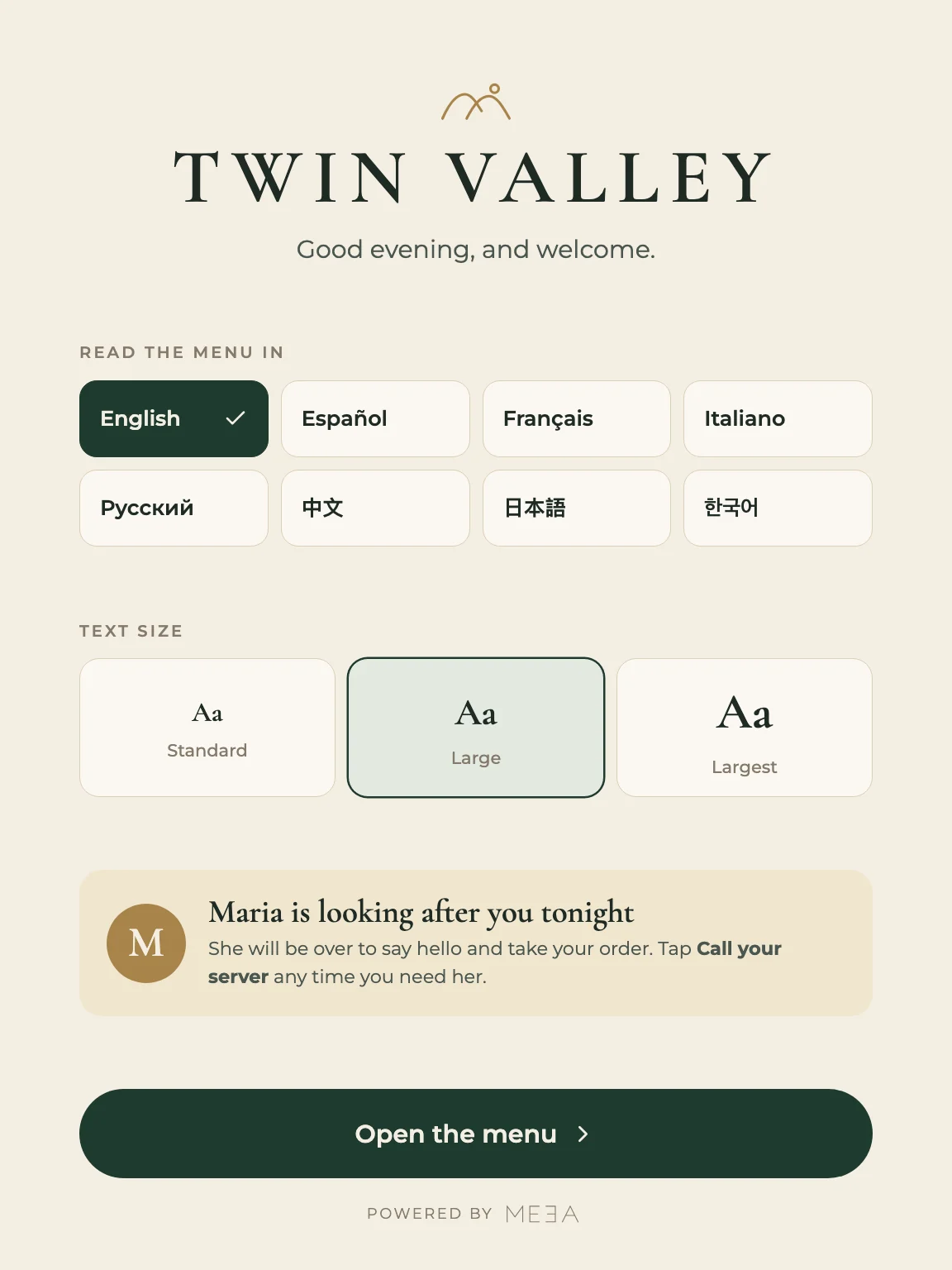
Why: Baba Vera's biggest barriers were language and small print. One questionnaire answer put it simply: “I couldn't read well from the screen.”
Final screens
Pick a flow, then swipe or use the arrows.
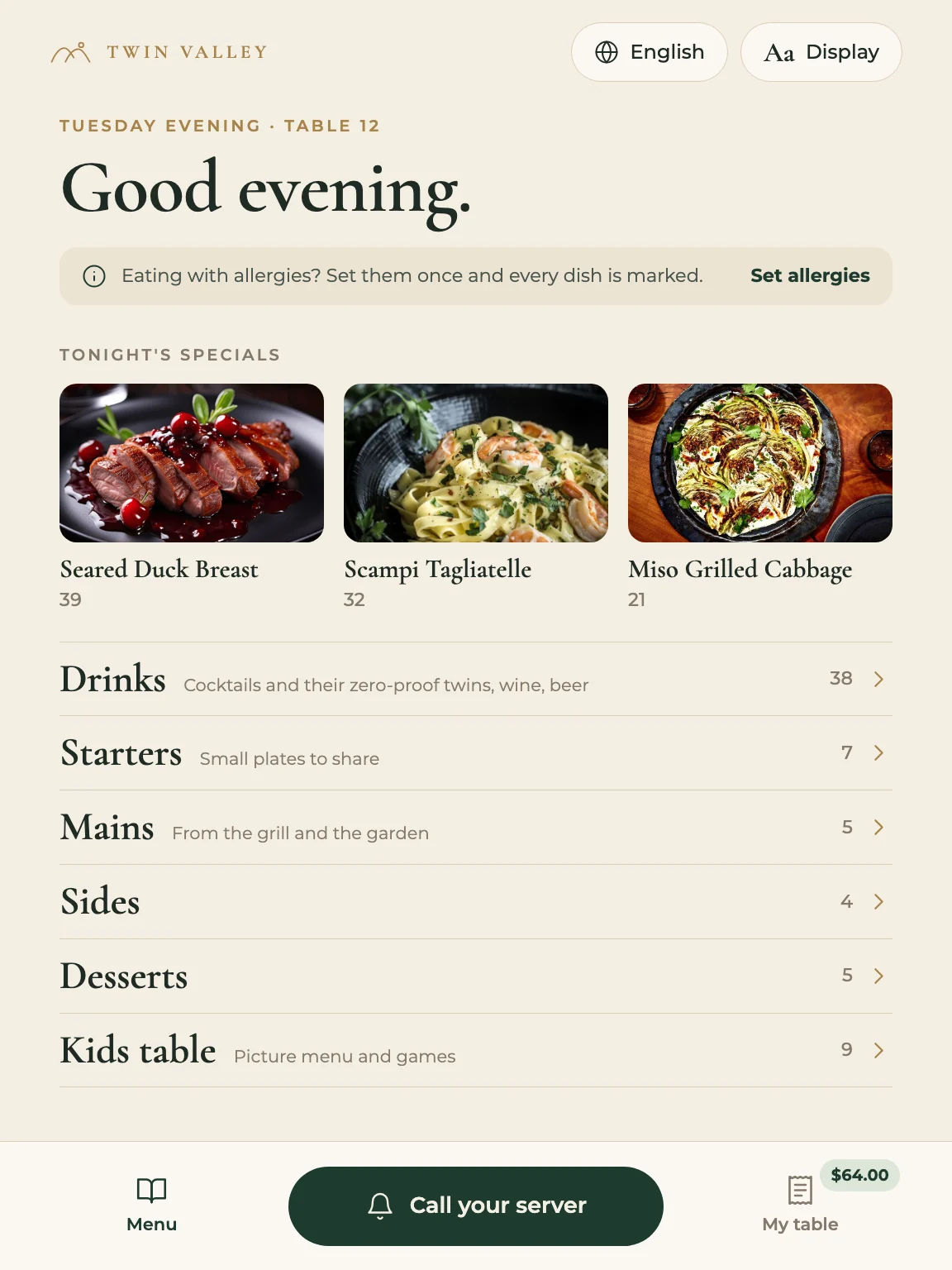
The menu opens on language and text size, then the menu home with tonight's specials.
Welcome
Language and text size come first, and you meet your server.
Menu
Tonight's specials, every section, and three buttons that never move.
Twin Valley is the sample restaurant from the team's menu file, and its dishes and photos come from there. Prices, totals and the server's name are sample content.
Reflection